Welcome to TheForexScalper Pro · You are in the right place
Know where you get in. Know where you take profit. Know when it is over.
Seven years of watching charts taught one lesson: a clear plan beats a clever guess. TFS Pro is that plan, drawn on your screen as an entry, three targets and a clear sign for when to step aside.The founder, TheForexScalper Pro
See it live

Hand-picked examples, not a record of results. Trading involves risk of loss.
How it reads
Every chart follows the same three steps, so you do not have to relearn the screen when you change market or timeframe.
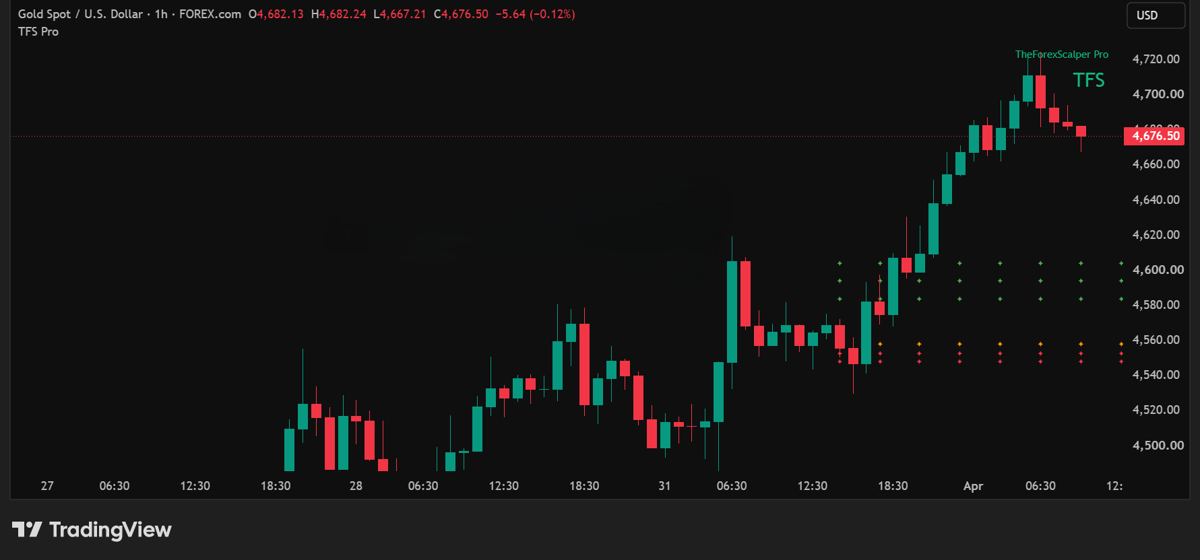
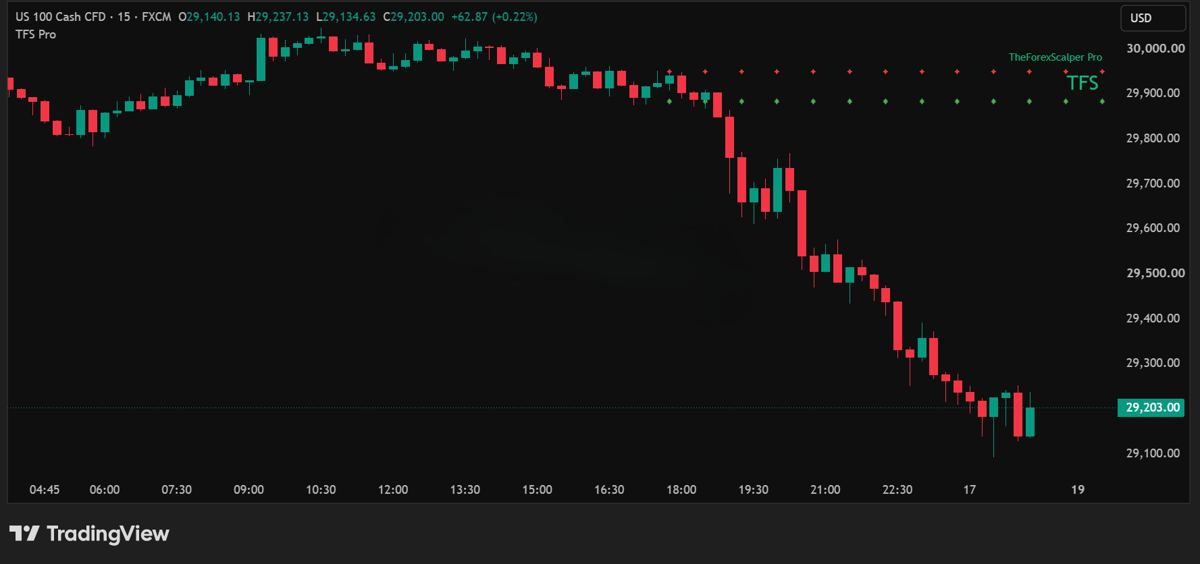
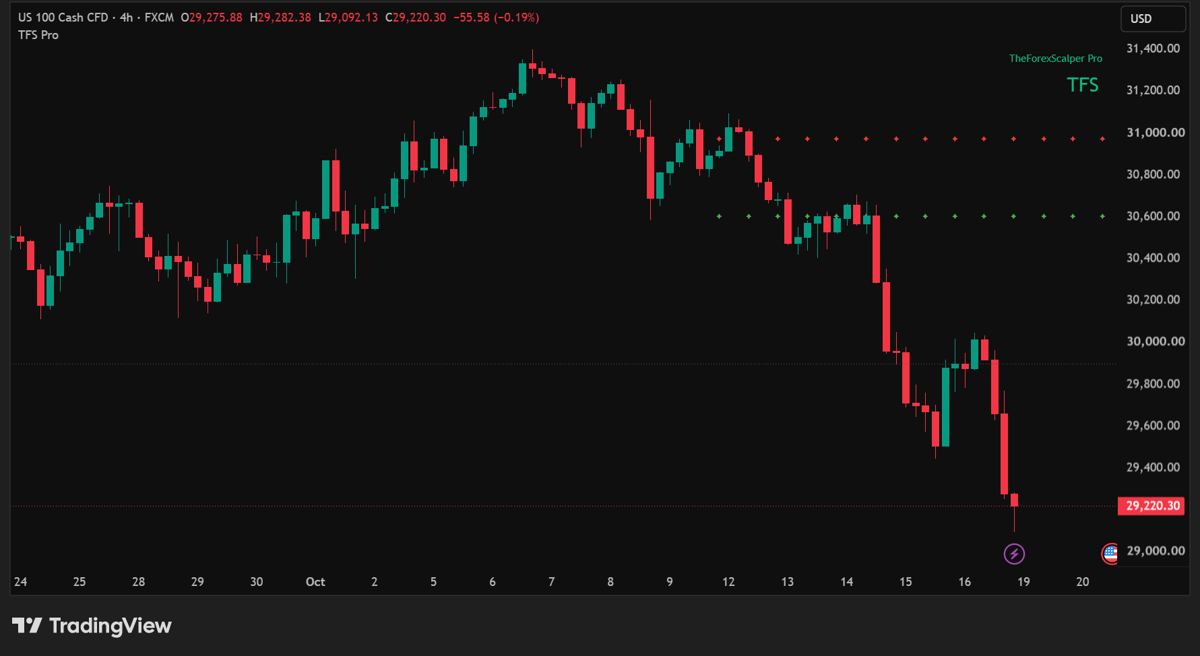
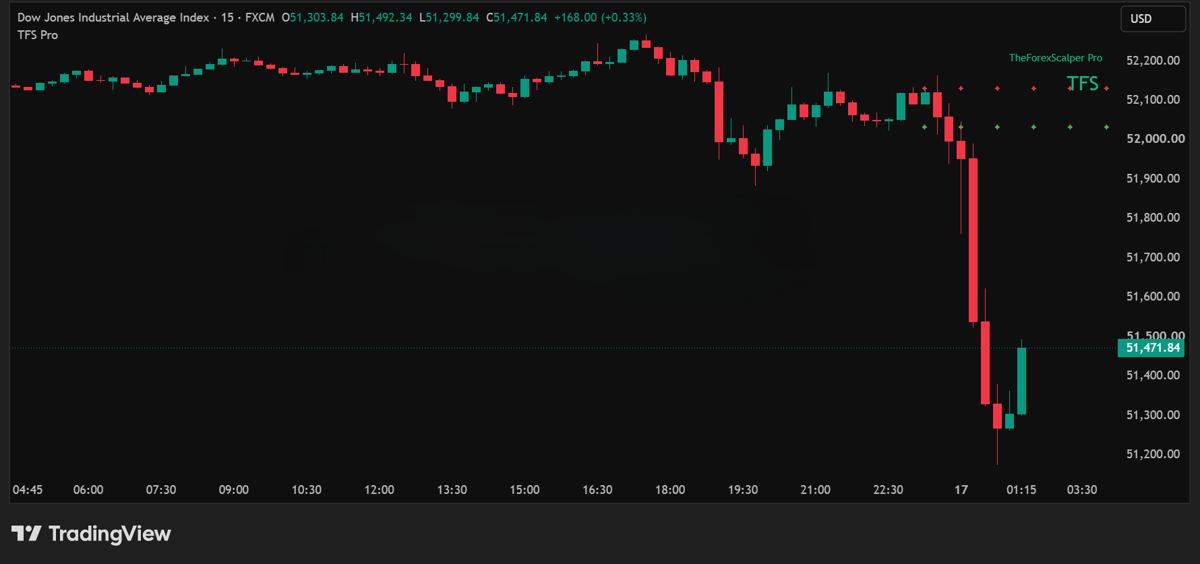
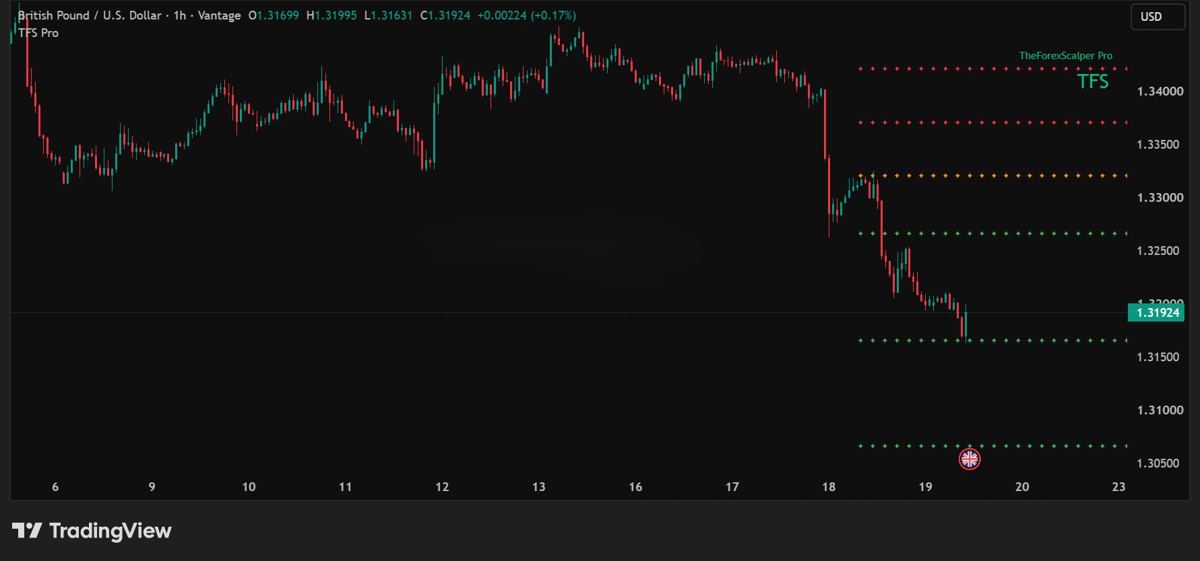
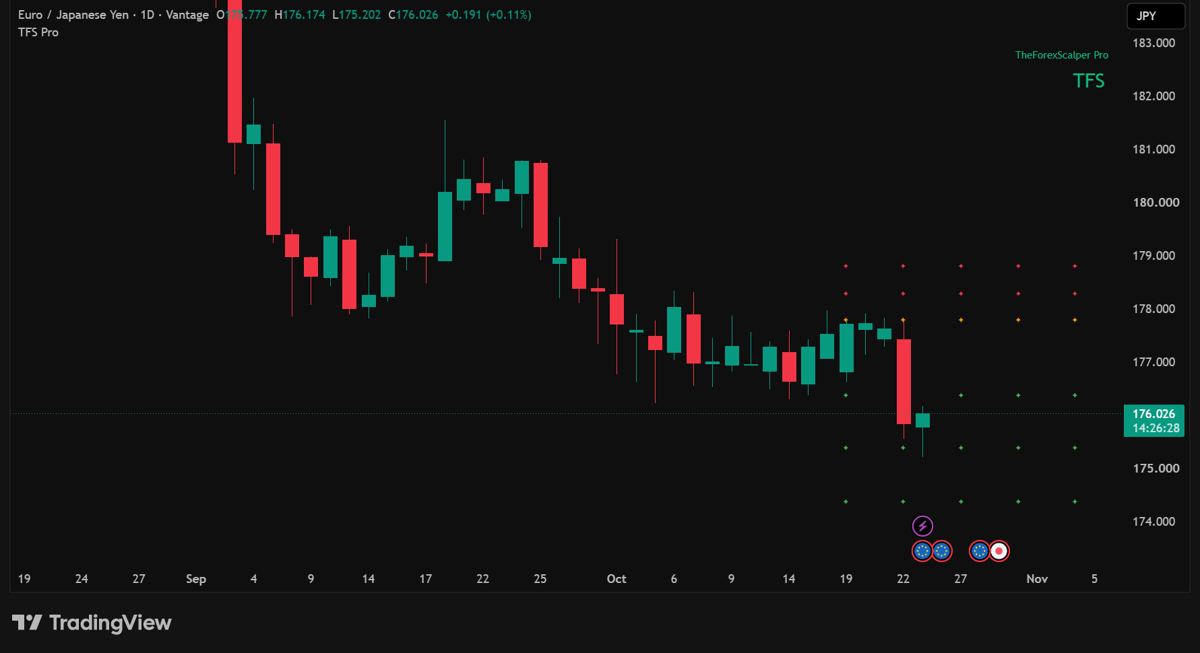
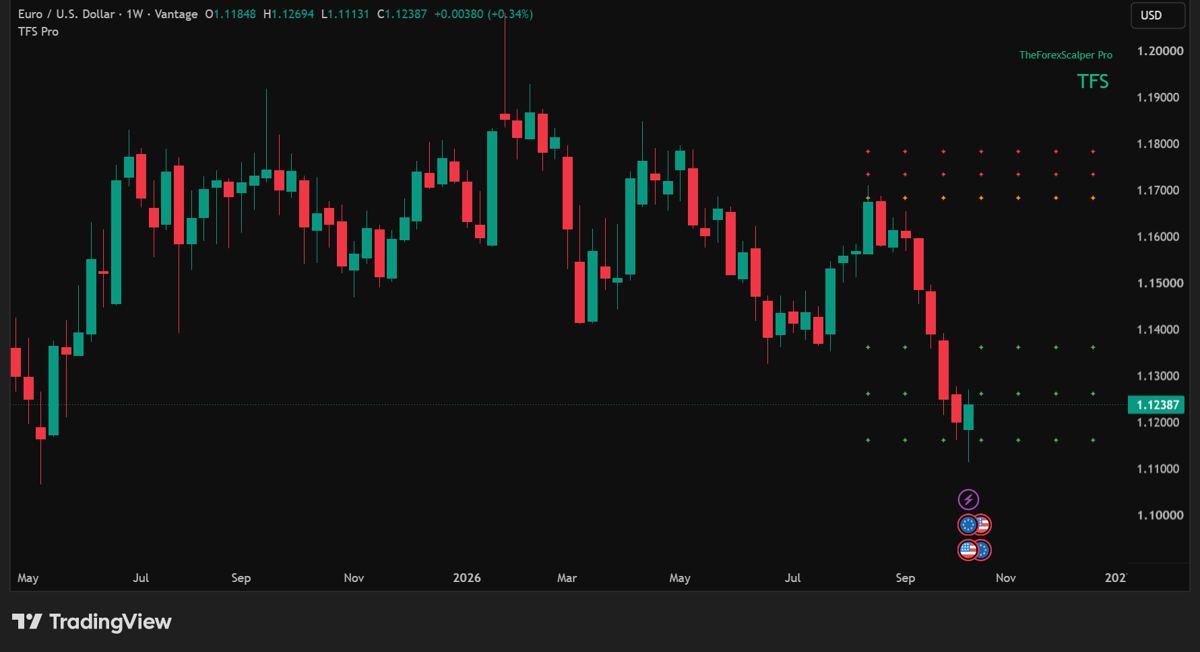
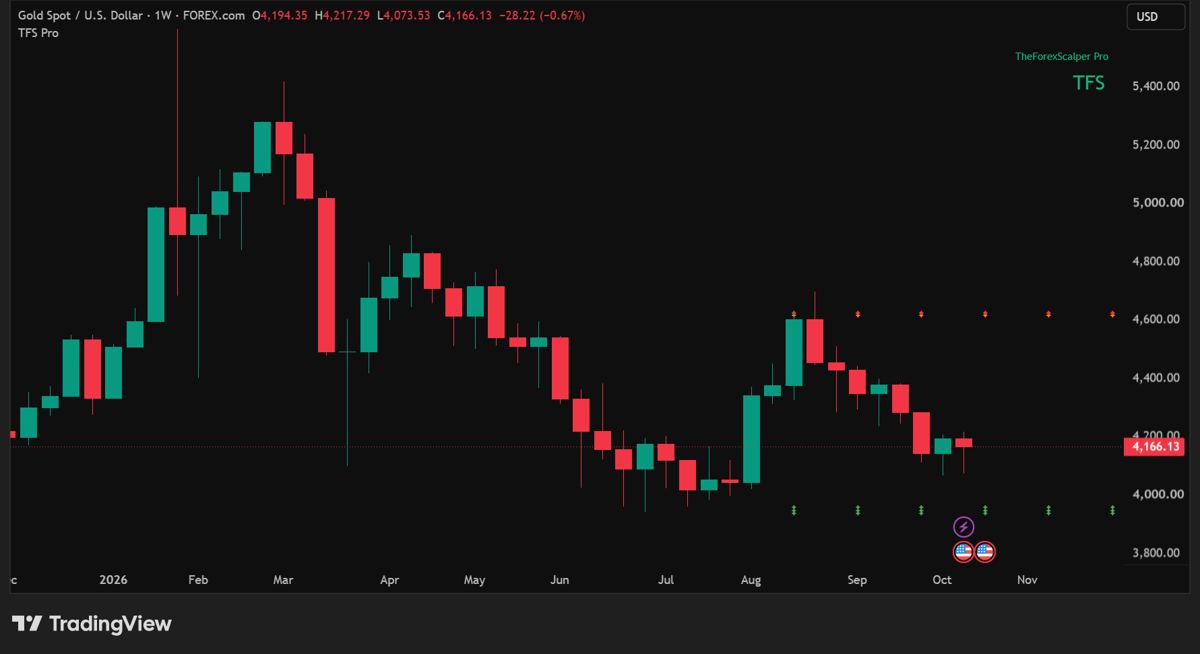
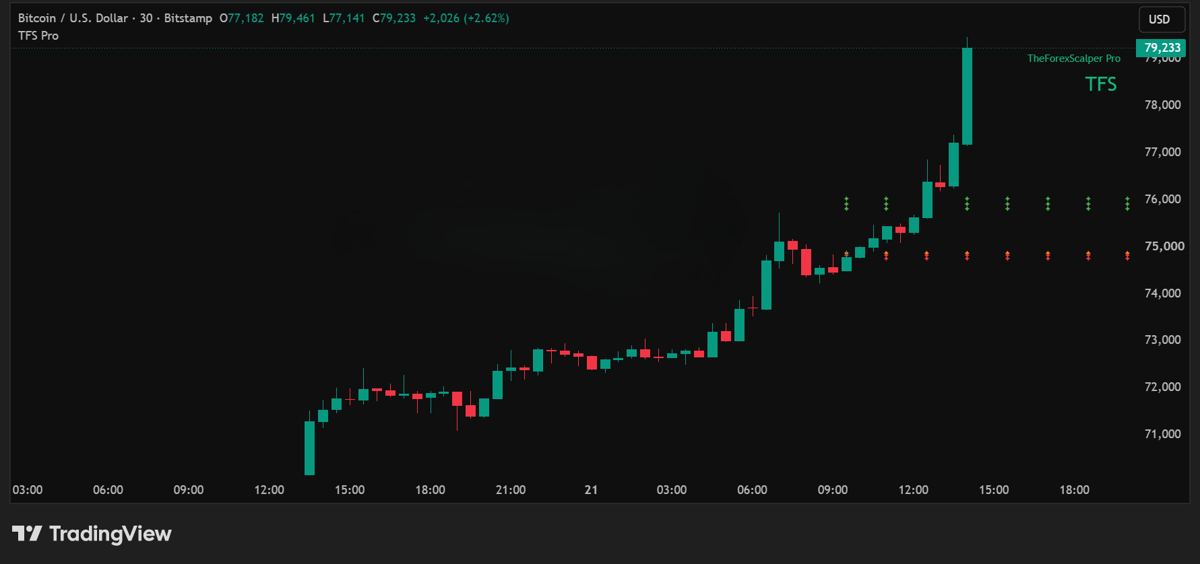
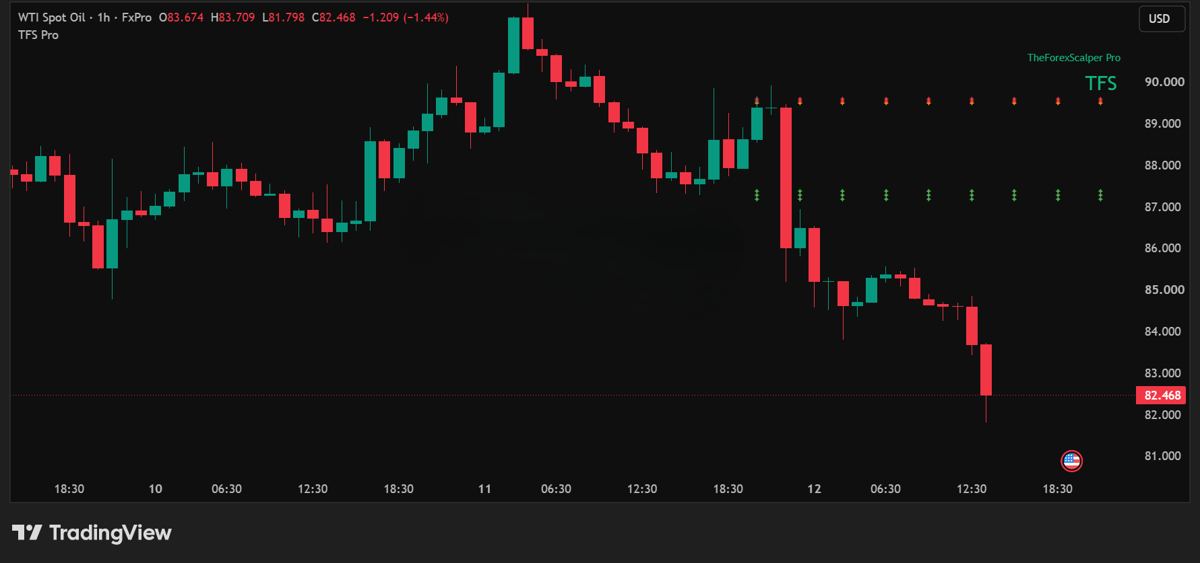
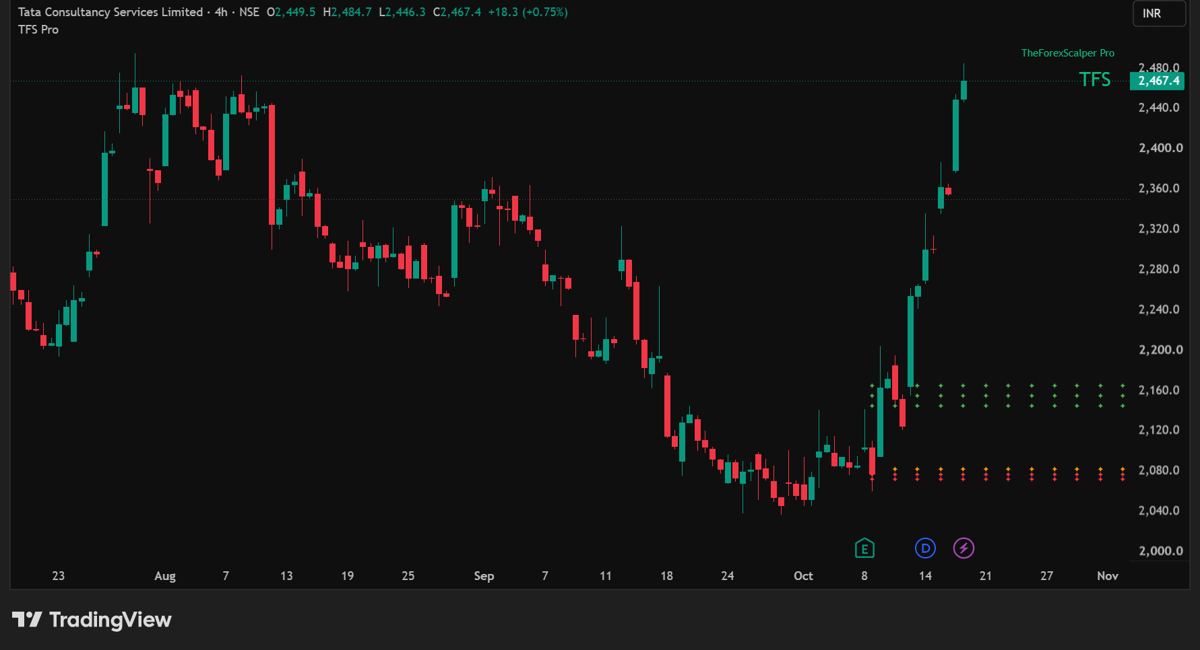
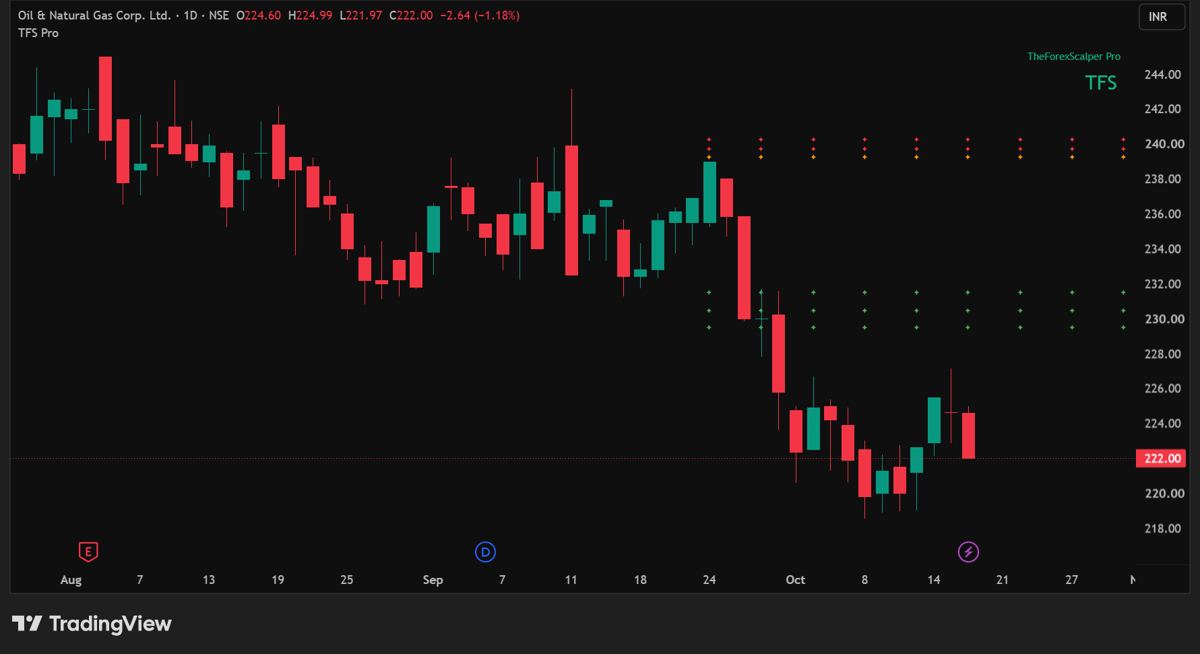
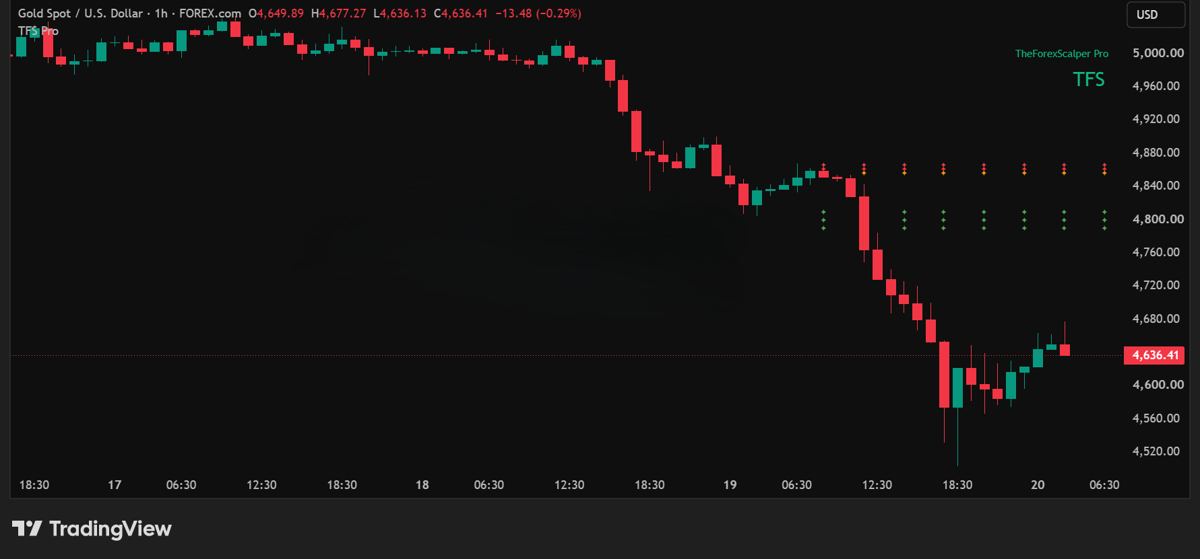
The orange star row is Entry 1. It marks where the setup begins on the signal candle.
Entry 2 and Entry 3 are optional scale-in levels. Adding to a position adds risk, so use them only if your plan allows.
TP1, TP2 and TP3 are the three target levels, in the direction of the setup.
Behind the rows
TFS Pro reads swing structure and trend direction, waits for a pullback into a retracement zone, and plots the levels once a candle closes. There are no panels, no tables and no settings to tune.
Bullish structure, a pullback into the buy zone, then a confirming close. Entry, scale-ins and targets appear on the chart.
The mirror image. Bearish structure, a pullback into the sell zone, then a confirming close.
Levels are drawn after a candle closes, so a signal does not appear and vanish while the candle is still forming.
Many traders take partial profit at TP1, which sits at the nearest swing extreme, and manage the rest. In strong trends price can run past TP3.
If market structure flips against the setup, the stars disappear. Keep a protective stop at your broker as a backup, and size positions so total entry risk stays small.
In TradingView, create an alert with TheForexScalper Pro (TFS Pro) as the condition, then choose Long or Short.
Real charts
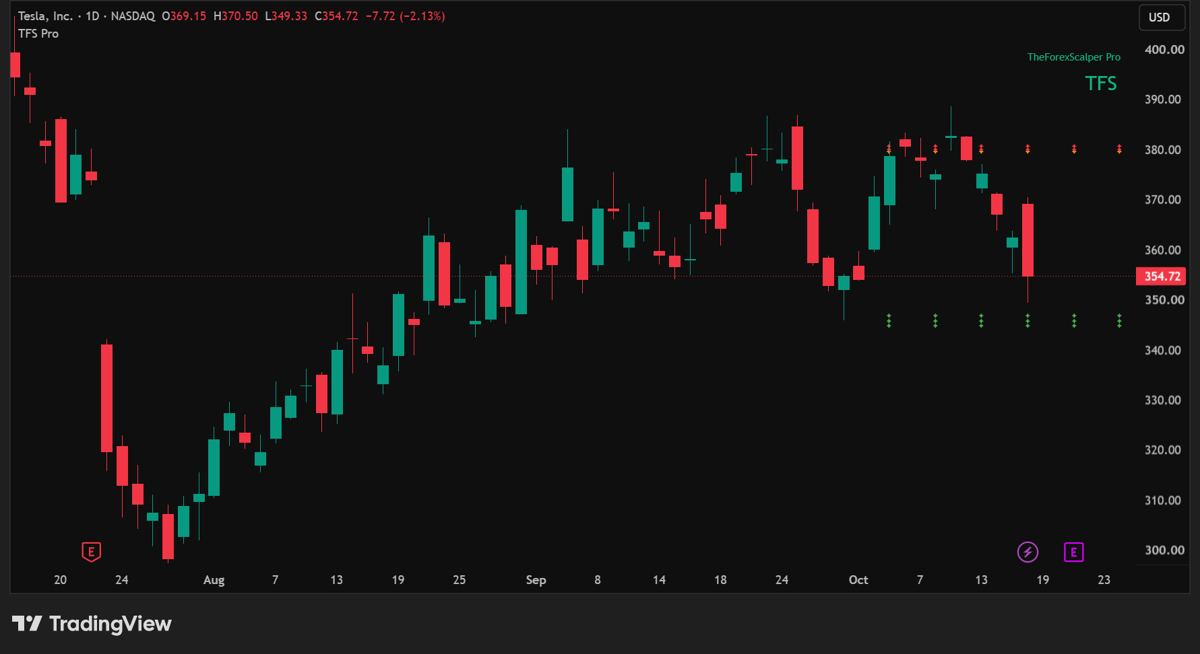
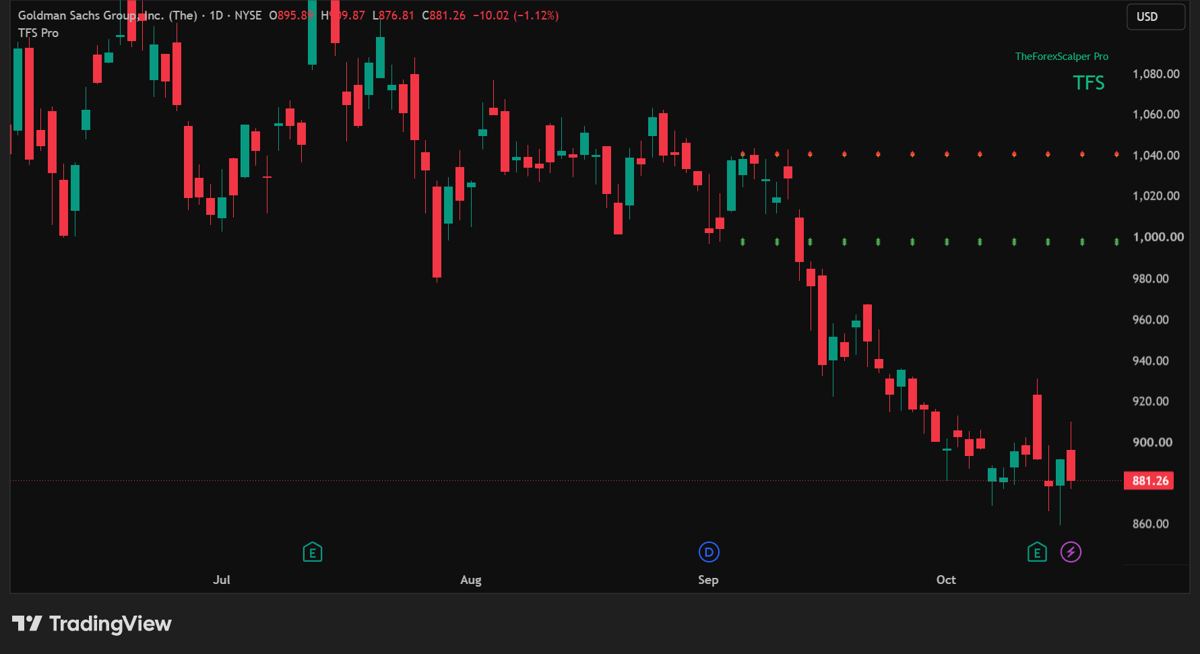
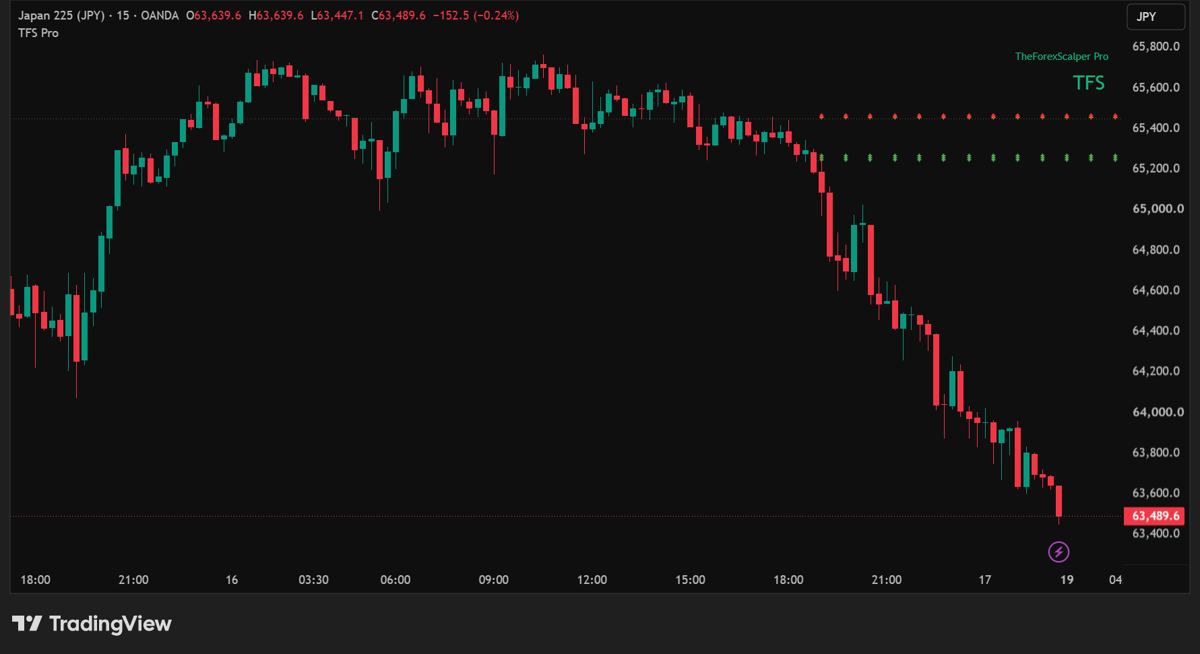
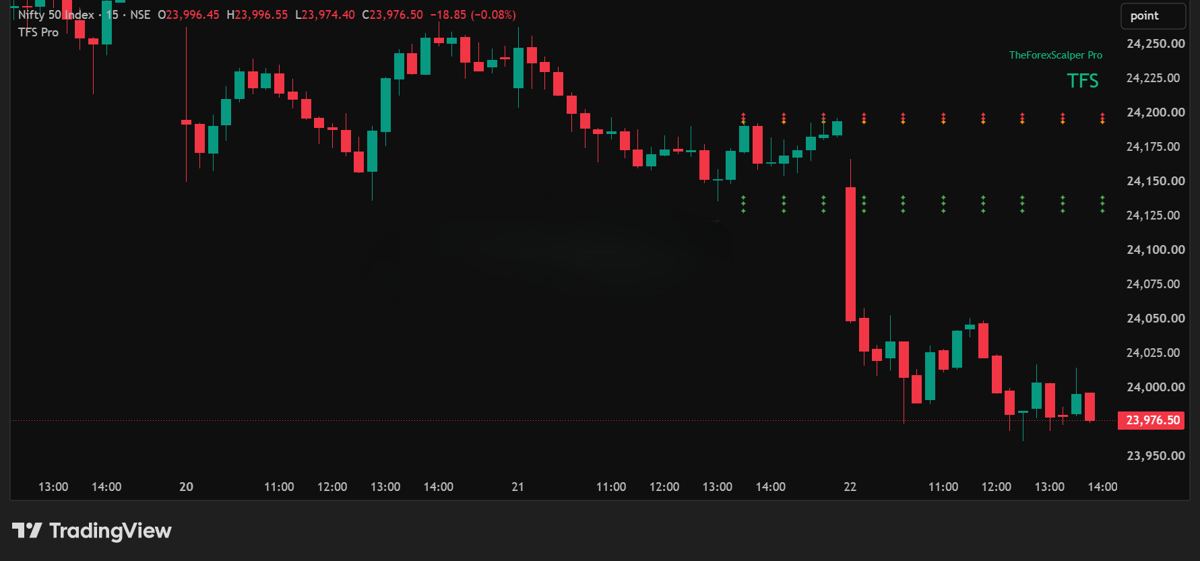
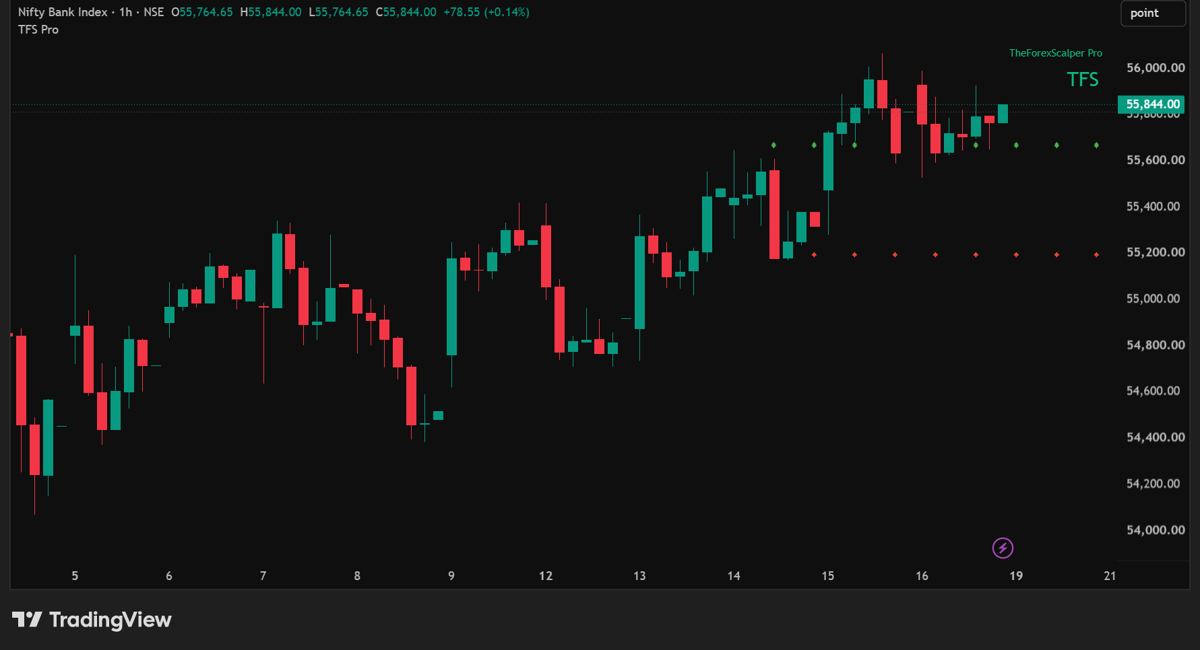
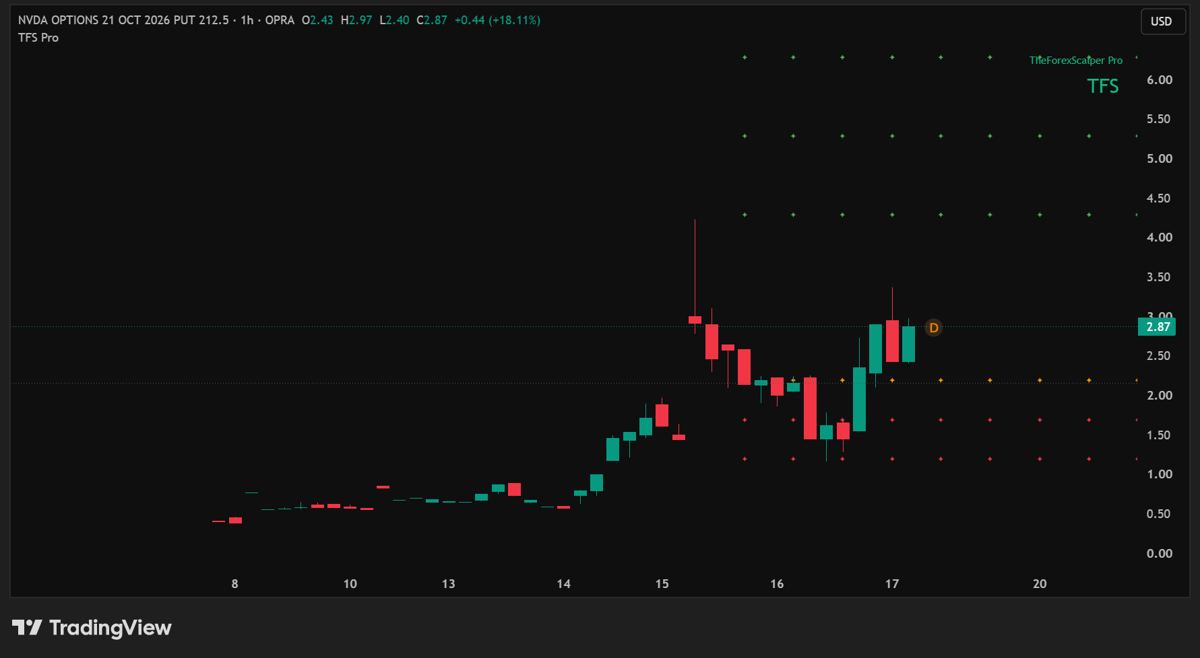
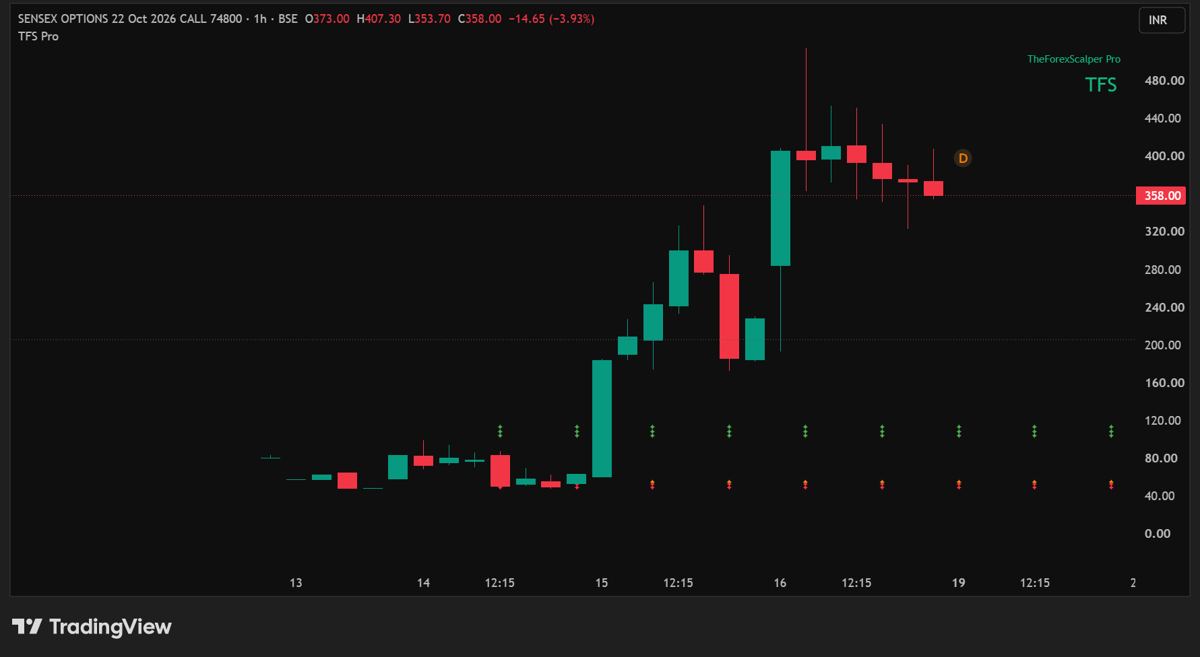
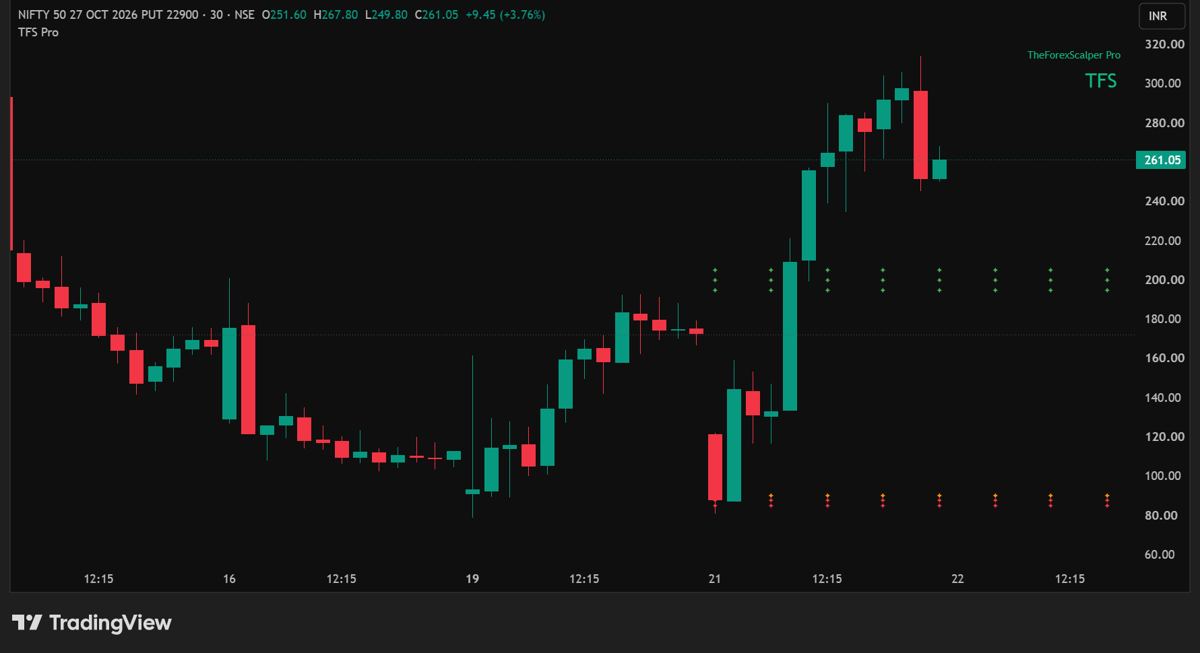
TFS Pro is not tied to a pair or a timeframe. It draws its rows on whatever symbol and timeframe you open. These are screenshots from TradingView with TFS Pro on the chart. Pick a market to see how it looks there.


Hand-picked examples to show how the rows are drawn. They are not a record of results. Setups can reverse, stall or end early, and trading involves risk of loss. F&O charts show the option's own price.
Markets and timeframes
TFS Pro is not limited to certain pairs. It works on any chart you open in TradingView, from 1 minute to monthly. The rows scale to the chart you are on.
Many traders use 1m to 15m charts for scalping and 1H to Daily for swing trades. Distances between the rows are in each instrument's own price units, so check them on every symbol.
What you get
Getting started
Email or message us on Instagram with your TradingView username.
Access is added manually to your TradingView account, usually within 24 hours.
Open any symbol and timeframe, then add TheForexScalper Pro (TFS Pro) from your invite-only scripts.
The subscriber PDF guides explain every row with real examples.
Trade through a regulated broker, and use a stop-loss and small position size.
Get Access
Tell us which markets you trade and which timeframes you use. We will reply with how access works.
theforexscalperpro@gmail.comA licensed payment gateway takes the payment. We never see or store your card or UPI details. The payment link is shared when you request access. See the Refund and Cancellation Policy.
© 2026 TheForexScalper Pro. All rights reserved.
Terms of UsePrivacy PolicyDisclaimerRisk DisclosureRefund PolicyFAQ
Educational charting tool, not financial advice. Trading involves risk of loss. TradingView is a trademark of its owner; this site is not affiliated with TradingView.
FAQ
No questions match. Email theforexscalperpro@gmail.com and we will help.
No. It is an educational charting tool that draws levels on your chart. It does not tell you to buy or sell, and you make your own decisions.
No. The examples on this site are hand-picked to show how the rows are drawn. Setups can reverse, stall or end early, and losses happen. Use a stop-loss and a small position size.
Any symbol and any timeframe you can open on TradingView. It is not tied to specific pairs. The examples on this page and in the guides cover metals, crude oil, indices, stocks, forex, crypto and F&O, mostly on timeframes from 5 minutes to 1 month.
They are optional levels to add to a position. Each one increases your exposure, so only use them if your own plan allows it.
The setup is over and the levels no longer apply.
No. It is plug and play. Add it to your chart and the rows appear.
Yes. In TradingView, create an alert with TheForexScalper Pro (TFS Pro) as the condition, then choose Long or Short.
No. It is a charting indicator. It draws levels on your TradingView chart and does not connect to a broker or place orders.
Levels are drawn after a candle closes, so a setup does not appear and vanish while the candle is still forming. A setup ends when the stars disappear because structure has flipped.
None in particular. The indicator runs on TradingView charts, so you can use it with whatever broker or data feed you already trade through. Use a regulated broker.
Access is time-limited. Plans and prices are shared when you request access.
No. Access is personal to your TradingView account. See the Terms of Use at the bottom of the page.
Access is by invitation. Send a request by email, Instagram or the TradingView page, and access is added manually, usually within 24 hours.
Still have a question? Email theforexscalperpro@gmail.com or message us on Instagram.
Legal
Last updated 23 October 2026
These Terms of Use are an electronic record under the Information Technology Act, 2000 and need no physical or digital signature. By requesting, buying or using access to TheForexScalper Pro (TFS Pro), you agree to them. If you do not agree, do not use TFS Pro or this website.
You must be at least 18 years old and capable of entering a binding contract under the Indian Contract Act, 1872. You must not be barred by any law or regulator from trading or from using trading tools.
A personal, non-transferable, non-exclusive, time-limited right to use the TFS Pro indicator on your own TradingView account, and the subscriber guides that come with it. TFS Pro is an invite-only Pine Script that stays on TradingView. You do not receive the source code.
The TFS Pro name, logo, indicator, logic, guides, charts and website content are protected by law, including the Copyright Act, 1957. They remain ours. These Terms give you a right to use them as described and no ownership.
TFS Pro runs on TradingView. Your use of TradingView is under TradingView's own terms. We do not control TradingView's service, data, outages or rule changes, and we are not responsible for them. You need a valid TradingView account to use TFS Pro.
TFS Pro is an educational charting tool. We are not a SEBI registered investment adviser or research analyst. Nothing we provide is advice, a recommendation or a tip. Please read our Disclaimer and Risk Disclosure.
You are responsible for your own trading decisions, results, taxes and legal compliance, including the rules of SEBI, RBI and FEMA that apply to you. Use brokers and platforms that are authorised for you.
We may suspend or end your access without refund if you break these Terms, share your access, misuse TFS Pro or act unlawfully. You may stop using TFS Pro at any time.
TFS Pro and the guides are provided as is and as available. We do not promise that they will be error free, uninterrupted, accurate or suitable for any purpose, or that any setup will work.
To the extent the law allows, we are not liable for any trading loss, loss of profit, loss of data or indirect or consequential damage arising from your use of, or inability to use, TFS Pro, the guides or this website. Our total liability for any claim will not exceed the amount you paid for the access period in which the claim arose.
You agree to compensate us for any claim, loss or cost that results from your breach of these Terms or your unlawful use of TFS Pro.
We are not responsible for delay or failure caused by events outside our reasonable control, such as outages of TradingView, internet or payment services, natural events, government action or cyber attacks.
These Terms are governed by the laws of India. Please write to us first so we can try to resolve any dispute in good faith. If it is not resolved, the courts in India with competent jurisdiction will decide it. Nothing here limits your rights as a consumer under applicable law.
Grievance contact: theforexscalperpro@gmail.com. We acknowledge complaints within 48 hours and aim to resolve them within 30 days. Email: theforexscalperpro@gmail.com.
We may update these Terms, the indicator or the guides. The date at the top shows the latest update. Using TFS Pro after an update means you accept it.
Legal
Last updated 23 October 2026
This policy explains how TheForexScalper Pro collects and uses personal data, in line with the Digital Personal Data Protection Act, 2023, the Information Technology Act, 2000 and the rules made under it. This website has no accounts, no sign-up and no tracking of its own.
By sending us your details you agree that we may use them for the purposes above. You can withdraw consent at any time by emailing us. Withdrawing may mean we can no longer provide access.
We do not sell your data. We share it only where needed: with our payment gateway to process payment, with TradingView to add your access (your username), with email and hosting providers such as Google and Cloudflare, and with authorities when the law requires it.
Some of these providers store data on servers outside India. We choose providers with reasonable security practices.
We keep your data while your access is active and afterwards for as long as the law requires us to keep payment and tax records. After that we delete it or make it anonymous.
We use reasonable safeguards, including secure connections and two-step login on our accounts. No system is completely secure. If a breach affects your data, we will inform you and the authorities as the law requires.
TFS Pro is not meant for anyone under 18. We do not knowingly collect data from children. If you think we have, email us and we will delete it.
This website sets no cookies of its own. It links to YouTube, Instagram, Threads, TradingView and Gmail, which have their own privacy policies.
Grievance contact: theforexscalperpro@gmail.com. We acknowledge complaints within 48 hours and aim to resolve them within 30 days. To use your rights, email theforexscalperpro@gmail.com from the address you used with us.
We may update this policy. The date at the top shows the latest update.
Legal
Last updated 23 October 2026
TheForexScalper Pro and TFS Pro are educational charting tools. Nothing on this website, in the indicator or in the guides is investment advice, a recommendation, a tip or a call to buy or sell any security, currency, commodity, derivative, crypto asset or other instrument.
The author is not registered with SEBI as an Investment Adviser (SEBI (Investment Advisers) Regulations, 2013) or as a Research Analyst (SEBI (Research Analysts) Regulations, 2014), and does not offer such services. Do not rely on TFS Pro as advice. Speak to a SEBI registered adviser before you invest or trade.
Investments in the securities market are subject to market risks. Read all related documents carefully. Trading in derivatives, forex, commodities and crypto assets is high risk and may not suit everyone.
No indicator guarantees results. The chart examples are hand-picked past screenshots that show how TFS Pro draws its levels. They are not a complete record of setups and do not show how often setups reach their targets. Some were captured with TradingView's Replay feature. Past examples do not predict future results.
Under RBI rules and the Foreign Exchange Management Act, 1999 (FEMA), residents of India may deal in forex only with authorised persons and through RBI authorised electronic trading platforms or recognised exchanges (NSE, BSE and the Metropolitan Stock Exchange of India, MSE), and only for permitted purposes. The RBI has cautioned the public against forex trading on unauthorised platforms and keeps an Alert List of such entities. Charts of international currency pairs on this website are for education only. We are not a broker, we do not offer trading accounts and we do not endorse any broker or platform. You are responsible for checking that your trading is lawful where you live.
Commodity derivatives in India, such as gold, silver and crude oil contracts, trade on exchanges like MCX (Multi Commodity Exchange of India) and are regulated by SEBI. Charts of metals and energy on this website are for education only and are not an offer to trade.
Crypto assets are not legal tender in India, are largely unregulated and are very volatile. You can lose all the money you put in. Gains may be taxable under Indian law.
You are responsible for the tax on any trading gains or losses. Speak to a qualified tax professional.
TradingView is a trademark of its owner. This website and TFS Pro are not affiliated with or endorsed by TradingView or any broker, exchange or regulator. We are not responsible for third-party data, platforms or content.
To the extent the law allows, we accept no liability for any loss that results from using this website, TFS Pro or the guides. See also the Terms of Use and the Risk Disclosure.
Legal
Last updated 23 October 2026
Please read this before you trade. Trading carries a high risk of loss and you can lose all or more than the money you put in.
SEBI's study of individual traders in equity derivatives (F&O) found that over 91% made losses in FY25, with net losses of about ₹1.06 lakh crore after costs, as reported by Business Standard. Leveraged products in other markets have similar findings from regulators in several countries.
Price can jump past your levels around news, market opens and weekends. A stop-loss is not guaranteed to fill at your price. Gold, indices and crypto can move very fast around major data and events.
Entry 2 and Entry 3 are optional scale-in levels. Each one adds to your exposure and can increase your loss if the setup fails.
Chart examples are hand-picked and past. Some were captured with TradingView's Replay feature. They are not a record of results and do not include trading costs, slippage or taxes.
TradingView, your broker, your internet connection or data feeds can fail, lag or show wrong data. We are not responsible for losses caused by them.
Crypto assets are volatile and largely unregulated in India. Forex trading by Indian residents is limited by RBI and FEMA rules, and trading on unauthorised platforms can lead to legal action. See the Disclaimer.
Legal
Last updated 23 October 2026
This policy explains cancellations and refunds for TFS Pro access. TFS Pro is a digital product. Access is added by us manually and can be used straight away, so refunds are limited as set out below.
You can cancel and get a full refund if you ask us by email before we have added access to your TradingView account.
Once access has been added, the current paid period cannot be cancelled and is not refundable, except in the cases in section 3. Plans do not renew automatically, so you will not be charged again unless you choose to buy.
Email theforexscalperpro@gmail.com with your name, the email you used, your TradingView username and your payment reference. We review requests within 3 working days.
Approved refunds go back to the original payment method, usually within 5 to 7 working days after approval, depending on your bank or payment provider.
If money was debited but the payment failed, the bank or payment gateway normally reverses it automatically within 5 to 7 working days. If it does not, email us your payment reference and we will help.
Grievance contact: theforexscalperpro@gmail.com. We acknowledge complaints within 48 hours and aim to resolve them within 30 days.